
Paul’s Desk · Storage & Power

UGREEN NASync DXP2800

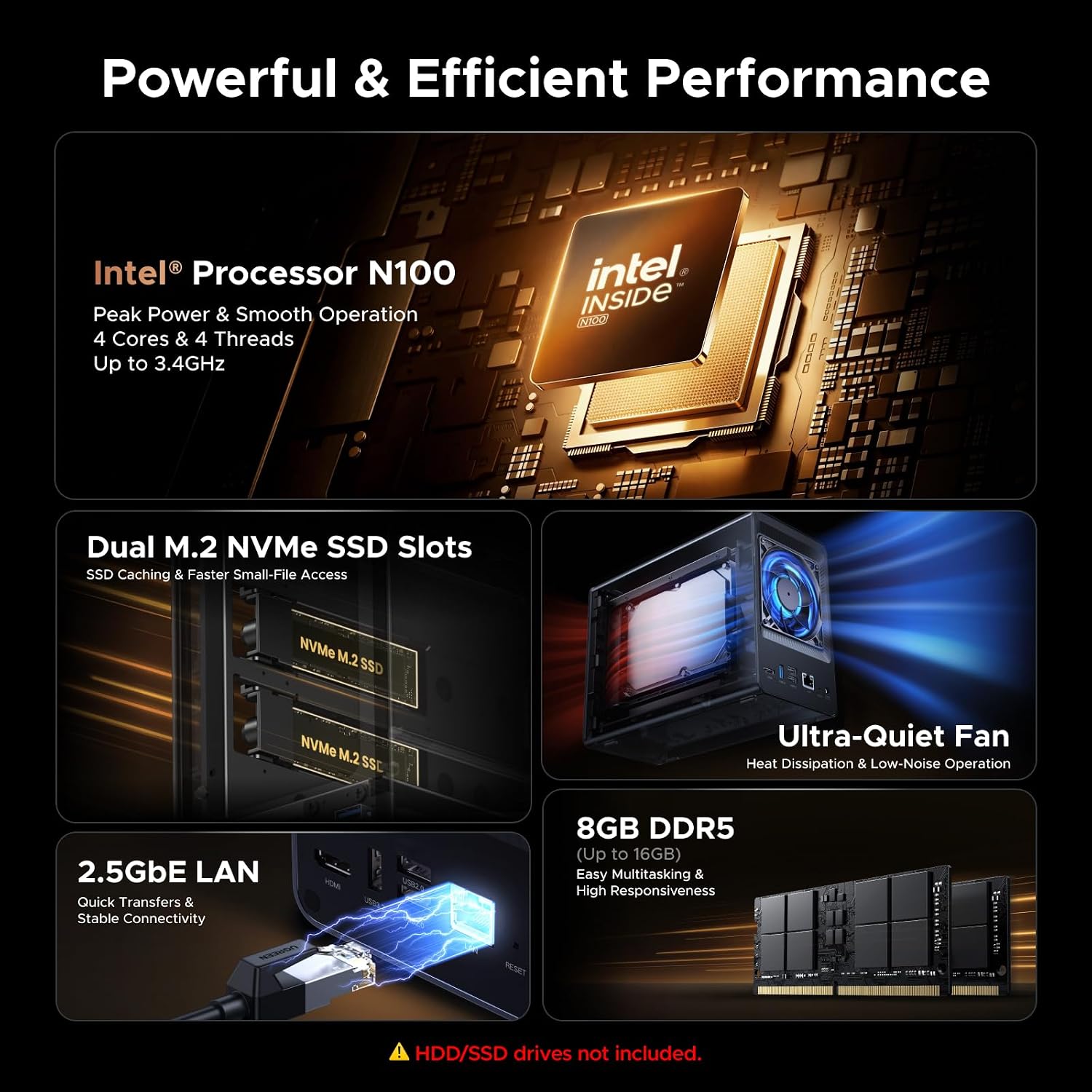
A 2-bay NAS with an Intel N100, 8GB DDR5, 2.5GbE and two M.2 slots. It runs Docker and VMs. Sold without drives.

UGREEN NASync DXP2800

Price and availability are on Amazon. Clicking the button opens Amazon in a new tab.

See it on Amazon (opens in a new tab)

As an Amazon Associate, Commits and Conflicts earns from qualifying purchases.

Good for
You want a quiet box for RAID 1 backups, a few Docker containers and a media library, and two drive bays are enough.
Skip it if
You need more than two SATA bays, RAID 5 or 6, or 10GbE networking.

At a glance

Model
UGREEN NASync DXP2800 (SKU 25242)
CPU
Intel N100, 4 cores / 4 threads
Memory
8 GB DDR5, expandable to 16 GB
Drive bays
2 × SATA (3.5 in or 2.5 in), plus 2 × M.2 NVMe slots
Maximum storage
80 TB raw (2 × 32 TB SATA + 2 × 8 TB M.2)
RAID
Basic, JBOD, RAID 0, RAID 1
Network
1 × 2.5GbE
Other ports
Front USB-C and USB-A (10Gb/s); rear USB-A (5Gb/s), 2 × USB 2.0; 4K HDMI
Size
9.1 × 4.3 × 7.0 in
Warranty
2 years

Models change. Check the Amazon listing for the exact version, price and specs before you buy.

The review

Review: UGREEN NASync DXP2800

The UGREEN NASync DXP2800 is a two-bay NAS built on an Intel N100 with 8GB of DDR5 memory, a 2.5GbE port and two M.2 NVMe slots[2]. It runs Docker containers and virtual machines as well as file storage and backups[2]. It ships without drives, so budget for those on top of the NAS[1].

Key facts

  • Intel N100 with 4 cores and 4 threads, and 8GB of DDR5 that expands to 16GB[2].
  • Two SATA bays and two M.2 NVMe slots, for up to 80TB of raw storage[2].
  • One 2.5GbE port, 10Gb/s USB-C and USB-A on the front, and a 4K HDMI output[2].
  • Diskless, with a two-year UGREEN warranty[1].

What hardware is inside?

The DXP2800 uses a 12th-generation Intel N100, an x86 chip with 4 cores and 4 threads[2]. It comes with 8GB of DDR5 memory, and UGREEN supports upgrades to 16GB[2]. The operating system lives on a separate 32GB eMMC system disk, so the data drives hold only your data[2].

The Amazon listing is this same model: “Intel N100, 8GB DDR5, 2.5GbE, 2x M.2 NVMe, 4K HDMI (Diskless)”[1]. UGREEN also sells a DXP2800 GT with an AMD chip and 10GbE. Its specs don’t apply here.

UGREEN NASync DXP2800 2-bay NAS

How much storage does it take, and which RAID levels?

The two SATA bays take 3.5-inch or 2.5-inch drives. The two M.2 NVMe slots work as an SSD cache or as a separate SSD storage pool[2].

UGREEN rates the maximum at 80TB: two 32TB SATA drives plus two 8TB M.2 SSDs. That’s raw installed capacity, not what a RAID 1 array gives you[2]. The Amazon listing gives the same 80TB figure[1].

It supports Basic, JBOD, RAID 0 and RAID 1[2]. RAID 1 mirrors both drives, so one drive can fail without losing the array. Usable space is the size of the smaller drive. RAID 0, Basic and JBOD don’t survive a drive failure[2].

Does it come with drives?

No. The DXP2800 is diskless, and HDDs and SSDs are sold separately[1, 2]. Plan for at least two matching drives if you want RAID 1. UGREEN suggests matched CMR NAS drives and keeps a compatibility list for drives, SSDs and memory[2]. It works with third-party drives from Western Digital, Seagate, Toshiba and others[2].

Prices change often, so check the listing for today’s price[1].

UGREEN DXP2800 drive bays and M.2 slots

What ports does it have?

There’s one 2.5GbE network port. The front has a USB-C and a USB-A port, both at 10Gb/s. The back has a 5Gb/s USB-A port, two USB 2.0 ports and an HDMI output[2]. The HDMI port plays 4K at 60Hz on a TV[2].

The Amazon listing rates the network at up to 312.5MB/s, which is the ceiling of 2.5GbE[1]. There’s no 10GbE port, no PCIe slot and no Thunderbolt[2].

What software does it run?

It runs UGREEN’s UGOS operating system[2]. UGREEN says the DXP2800 supports Docker and virtual machines, and that Plex runs in Docker[2]. The photo app sorts pictures by faces, objects and scenes, finds them by plain-text search, and flags duplicates[2].

The Amazon listing also covers phone backup, keeping files from several devices in one place, and recording from compatible network cameras[1]. UGREEN offers desktop and mobile clients in its Download Center[2].
UGREEN DXP2800 apps for backup, photos and media

What would a developer use it for?

Backups first. Two drives in RAID 1 give you a mirrored target for laptop backups and phone photos[2].

Next, a small home lab. Docker support means you can self-host services such as a media server, and VM support covers a test box or two[2]. Put an NVMe SSD in an M.2 slot as its own pool, and containers run from flash while the hard drives keep the bulk data[2]. If you run several containers or VMs at once, UGREEN suggests the 16GB memory upgrade[2].

Keep the load sensible. UGREEN pitches the N100 at home media, backups, photo management and “a sensible number of concurrent services”[2]. It’s not a build server.

How big, loud and power-hungry is it?

It measures 9.1 × 4.3 × 7.0 inches[2]. UGREEN’s lab measured 16.38W during drive access and 5.24W with the drives asleep, using a 2TB Seagate drive. Your drives and workload will change that[2]. In quiet mode UGREEN puts the noise at 29 to 34dB[2].

The box holds the NAS, a power adapter, a quick start guide, a screwdriver kit and a USB cable[1].

Can it protect data if a drive fails?

In RAID 1, yes. One drive can fail and the array keeps running while you replace it[2]. RAID isn’t a backup, though. UGREEN says to keep a separate copy of important data[2]. A USB drive on one of the 10Gb/s ports or an off-site copy covers that.

UGREEN also advises against mixing old and new drives in one array. A rebuild puts heavy load on the older drive[2].

UGREEN DXP2800 ports and connections

Pros and Cons

Pros

  • An x86 Intel N100 that runs Docker and virtual machines[2].
  • 8GB of DDR5, upgradeable to 16GB[2].
  • Two M.2 NVMe slots for a cache or a separate SSD pool[2].
  • 2.5GbE and two 10Gb/s USB ports on the front[2].
  • Works with third-party drives[2].

Cons

  • Diskless, so drives are an extra cost[1].
  • Two SATA bays only, so no RAID 5 or RAID 6[2].
  • No 10GbE port and no PCIe slot to add one[2].
  • The N100 suits a modest number of services, not heavy workloads[2].

Final Verdict

Get the UGREEN NASync DXP2800 if you want one quiet box for mirrored backups, a photo library and a handful of Docker containers or VMs. The N100, the 16GB memory ceiling and the two M.2 slots give it real headroom for a two-bay NAS[2]. Budget for drives, because it ships empty[1]. Look at a four-bay model instead if you need RAID 5 or 6, more bays, or 10GbE[2].

UGREEN’s two-bay NAS options (from UGREEN)
Model Processor Network Best for
NASync DXP2800, this one[2] Intel N100 (x86) 2.5GbE Docker, VMs, M.2 storage, backups
DH2300[2] ARM 1GbE Home backup, photos, everyday files

Key Takeaways

  • This is the Intel N100 DXP2800. Specs for the DXP2800 GT or the DXP4800 don’t apply[2].
  • Maximum storage is 80TB raw across the SATA bays and M.2 slots[2].
  • Use RAID 1 for data you care about, and keep a separate backup[2].
  • Drives aren’t included. Check UGREEN’s compatibility list before you buy them[1, 2].

Frequently Asked Questions

Does the DXP2800 include hard drives?

No. It’s diskless, and HDDs and SSDs are sold separately[1].

What is the maximum storage?

80TB raw: two 32TB SATA drives plus two 8TB M.2 SSDs. A RAID 1 array gives you the capacity of the smaller drive[2].

Does it run Docker and virtual machines?

Yes. UGREEN says the DXP2800 supports Docker and virtual machines, and Plex runs in Docker[2].

Which RAID levels does it support?

Basic, JBOD, RAID 0 and RAID 1. RAID 1 is the one that survives a drive failure[2].

Can I upgrade the memory?

Yes. It ships with 8GB of DDR5, and UGREEN supports up to 16GB[2].

What warranty does it have?

Two years from UGREEN[1, 2].

Sources

  1. UGREEN NAS DXP2800 2-Bay for Advanced Home Users, Remote Workers & Creators (Amazon) (2026-10-31)
  2. UGREEN: NASync DXP2800 product page, specs and FAQ (2026-10-31)

UGREEN NASync DXP2800

Check today’s price and the exact model on Amazon.

See it on Amazon (opens in a new tab)

As an Amazon Associate, Commits and Conflicts earns from qualifying purchases.

Buying guide · Storage & Power

How to choose drives, hubs and chargers

Most frustration here comes from mismatched standards: a fast drive on a slow port, or a charger that can't keep up with the laptop. Match the spec on both ends.

Portable drives and cards

  • USB speed: USB 3.2 Gen 2 is 10 Gbps (about 1,000 MB/s in practice); Gen 1 is 5 Gbps. Thunderbolt and USB4 drives go faster but need a matching port.
  • SSD vs hard drive: SSDs are faster, quieter and survive drops. Hard drives are cheaper per terabyte for archives.
  • Encryption and passwords matter if the drive leaves the house.
  • microSD ratings: A2 is for running apps (and Raspberry Pi), V30 / U3 for 4K video. The headline "up to" read speed often needs a specific card reader.
  • Follow the 3-2-1 rule: three copies, two kinds of media, one offsite. A drive in a drawer next to the laptop is not a backup if both get stolen.

Hubs and docks

  • A hub adds ports and usually runs on USB-C. A dock (often Thunderbolt) adds more bandwidth, more monitors, and its own power supply.
  • Monitors: check how many external displays your laptop supports, at what resolution, over a single cable. Base Apple silicon Macs, for example, support fewer than the Pro and Max chips.
  • Pass-through charging: the hub keeps a few watts for itself, so a 100 W input may deliver around 85 W to the laptop.
  • Ethernet is worth having for video calls and big downloads.

Chargers and power banks

  • GaN chargers are smaller for the same wattage.
  • Total vs per-port wattage: a 100 W charger with three ports splits that power when more than one device is plugged in. Check the split.
  • Power banks on flights: airlines allow up to 100 Wh in cabin baggage without approval, about 27,000 mAh at 3.7 V. Never in checked luggage.
  • For laptops, look for USB-C Power Delivery output of 45 W or more.

Wireless chargers and charging stations

  • Qi2 is the Wireless Power Consortium's magnetic standard, built on the magnet ring Apple introduced with MagSafe. The magnets line the phone up with the coil, which is what makes 15 W possible. A plain Qi pad charges an iPhone at 7.5 W at most.
  • Qi2 15 W vs Qi2 25 W: newer "Qi2.2" chargers reach 25 W, but only on phones that support it, such as the iPhone 16 and 17. An iPhone 12 to 15 tops out at 15 W either way, and the 12 mini and 13 mini at 12 W.
  • Android phones mostly lack the magnet ring. Many need a magnetic Qi2 or MagSafe case to hold on and charge at full speed. Check the maker's compatibility list for your exact model.
  • 3-in-1 stations add an Apple Watch charger and an earbuds pad. The watch and earbuds positions usually get 5 W, and only some watch chargers do Apple's fast charging.
  • Use the included power supply. A weaker USB-C brick is the most common reason a station charges slowly.
  • Cases: most stations work through cases up to about 3 mm. Thick, wallet or metal-backed cases weaken the magnets and the charge.
  • iPads don't charge wirelessly, so no wireless station will charge one.

See every pick in Storage & Power ›

All of Paul’s Desk