
Paul’s Desk · Audio

SOULION R100 Desktop Soundbar

A 16-inch stereo soundbar that takes power and sound from one USB cable, with Bluetooth for your phone and a rainbow LED strip.

SOULION R100 Desktop Soundbar

Price and availability are on Amazon. Clicking the button opens Amazon in a new tab.

See it on Amazon (opens in a new tab)

As an Amazon Associate, Commits and Conflicts earns from qualifying purchases.

Good for
You want something better than laptop or monitor speakers, with one USB cable and no drivers to install.
Skip it if
You need a 3.5 mm or optical input, or you care about published power and frequency specs.

At a glance

Model
SOULION R100 (black)
Type
Stereo soundbar, 2 channels
Inputs
USB audio (PC mode) or Bluetooth; no 3.5 mm jack
Power
USB, needed in both modes
Drivers
Two, labelled 5 W each in the listing photos
Controls
4 buttons: mode, light, volume up, volume down
Lighting
Rainbow LED strip along the base, 4 effects, can be turned off
Size
16 × 2.5 × 2.5 in (41 × 6.4 × 6.4 cm)
Weight
1.43 lb (649 g)
In the box
USB-C to USB-A adapter

Models change. Check the Amazon listing for the exact version, price and specs before you buy.

The review

Review: SOULION R100 Desktop Soundbar

The SOULION R100 is a 16-inch stereo soundbar for a desk. One USB cable carries both power and sound from a computer, and it switches to Bluetooth for a phone or tablet[1, 2]. It needs no drivers, and a USB-C adapter is in the box[2].

Key facts

  • Plays sound over USB as a USB audio device named “R100”, or over Bluetooth[1].
  • Powered by USB in both modes. There’s no battery and no 3.5 mm input[2].
  • 16 × 2.5 × 2.5 inches and 1.43 lb[2].
  • Four buttons, and an LED strip with four effects that you can turn off[2].

What is it?

The Amazon listing is model R100, a two-channel stereo soundbar made by Shenzhen Soulion Technology[1]. SOULION’s own store sells the same R100 with the same description, in black and in white[2]. This review covers the black one on the listing.

SOULION also sells an R30, which needs a 3.5 mm cable for sound, and an R100 Plus, which has a battery and an AUX input. Neither is this speaker, so their specs don’t apply.
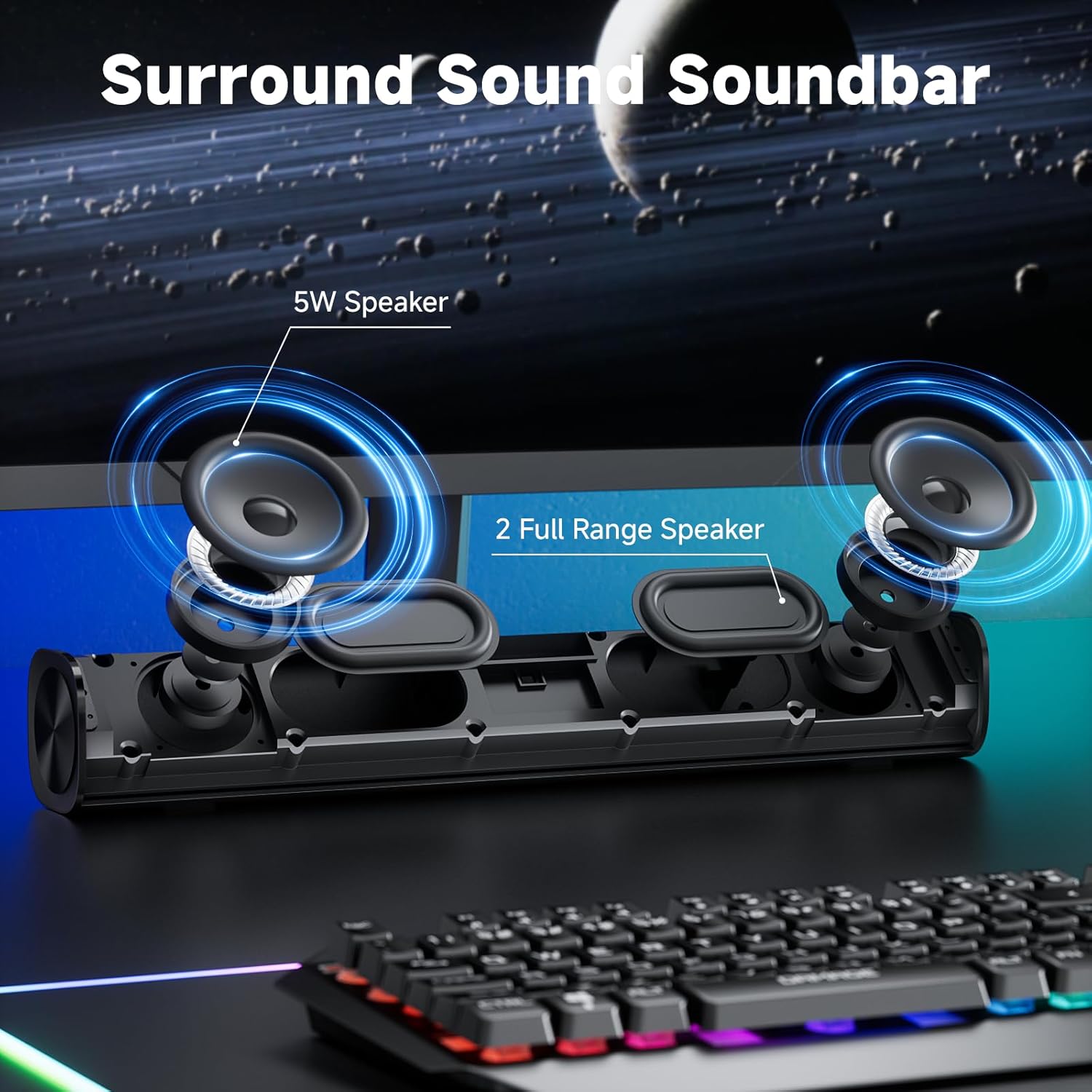
Inside the SOULION R100 soundbar: two drivers

Does it need a 3.5 mm audio cable?

No. In PC mode the R100 is a USB sound device. The listing’s setup photos show it appearing as “R100” in the Windows output device list and as a USB device in macOS Sound settings[1]. The single cable ends in a USB-A plug, with a USB-C adapter for laptops that only have USB-C[2].

The flip side: no 3.5 mm or optical input. It won’t take sound from a monitor’s headphone jack, a TV or a console unless that device can act as a USB audio host.

How do you set it up?

Plug the USB cable into the computer. It powers on by itself, and no drivers or software are needed[2]. Then pick “R100” as the output device in Windows sound settings or in macOS Sound settings[1].

For Bluetooth, keep the USB cable plugged in for power, press the M button to switch modes, and pair with “R100” on the phone or tablet[2]. A USB phone charger works as the power source in Bluetooth mode[1].
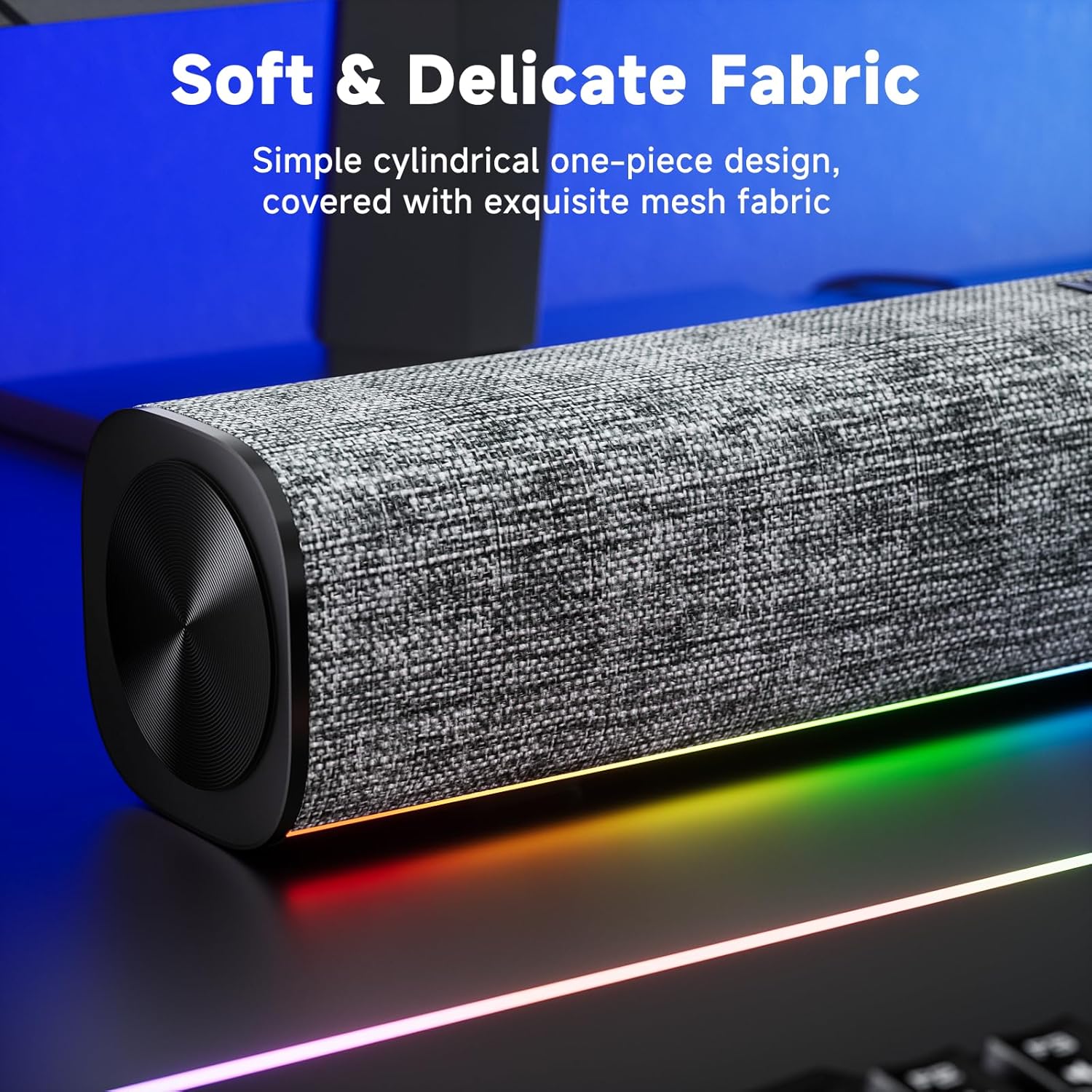
SOULION R100 fabric cover and end cap

What do the buttons do?

There are four buttons on top[2]:

  • M: press to switch between PC (USB) and Bluetooth. Hold to power on or off.
  • ☀ (light): press to change the light effect or turn it off. Hold for 3 seconds to clear the Bluetooth pairing memory.
  • + and −: press or hold to change the volume.

The computer’s own volume control works too, since the R100 is a normal output device.

What about the lights?

A rainbow LED strip sits along the bottom edge and lights the desk rather than your eyes. It has four effects[2], and the listing says the light moves with the sound[1]. The light button turns it off, which you may want before your next video call.

SOULION R100 dimensions and button functions

How big is it, and how does it sound?

It measures 16 × 2.5 × 2.5 inches (about 41 × 6.4 × 6.4 cm) and weighs 1.43 lb[2]. That fits under most monitors. The body is a tube covered in fabric[1].

What we couldn’t confirm: how loud it gets or how it sounds. SOULION publishes no power rating, frequency response or Bluetooth version. The only figure is in the listing’s photos, which label each of the two drivers 5W[1]. SOULION and the listing name Windows and macOS for setup, and say nothing about Linux. Expect a clear step up from laptop speakers, not a pair of studio monitors.

What would a developer use it for?

Desk audio with one cable and no setup. It suits a monitor that has no speakers, or a laptop on a stand. Moving it to another computer is one plug and one click in sound settings[1].

Bluetooth mode lets your phone play through it without unplugging anything[2]. For calls, use headphones anyway: your colleagues don’t need your build logs and your music.

SOULION R100 soundbar with its USB cable and USB-C adapter

Pros and Cons

Pros

  • One USB cable carries power and sound, with no drivers[2].
  • Bluetooth for a phone or tablet[1].
  • USB-C adapter included[2].
  • Physical volume buttons, and lights you can switch off[2].

Cons

  • No 3.5 mm or optical input, so no TVs, consoles or monitor headphone jacks[1].
  • Needs USB power even in Bluetooth mode[2].
  • No published power, frequency response or Bluetooth version.
  • No subwoofer and no stereo separation beyond a 16-inch bar.

Final Verdict

Get the SOULION R100 if you want better sound than your laptop or monitor speakers from one USB cable, with Bluetooth for your phone on the side[2]. Skip it if you need a 3.5 mm input for a monitor, TV or console, or if you want published audio specs before you buy[1].

The R100’s two modes (from SOULION and the Amazon listing)
Mode Sound from Power from Switch with
PC (USB)[1] The computer, over USB The same USB cable M button
Bluetooth[2] A phone or tablet paired with “R100” USB (computer or charger) M button

Key Takeaways

  • It’s a USB sound device: one cable for sound and power, no 3.5 mm jack[1].
  • Bluetooth works only while USB power is connected[2].
  • R30 and R100 Plus specs don’t apply. They are different speakers.
  • SOULION publishes no power or frequency figures, so judge it as a step up from built-in speakers.

Frequently Asked Questions

Does the R100 need a 3.5 mm audio jack?

No. Sound comes over USB, and it shows up as an output device called “R100”[1].

Does it work with a MacBook that only has USB-C?

Yes. Use the USB-C to USB adapter in the box, then pick “R100” in Sound settings[1].

Does it have a battery?

No. It needs USB power in both modes[2]. The rechargeable model is the R100 Plus.

Can I turn the lights off?

Yes. The light button cycles the effects and turns them off[2].

Sources

  1. SOULION Computer Speakers for Desktop Monitor USB Plug & Play PC Soundbar (Amazon) (2026-10-31)
  2. SOULION: R100 Bluetooth Computer Speakers with Dynamic LED Light (product page) (2026-10-31)

SOULION R100 Desktop Soundbar

Check today’s price and the exact model on Amazon.

See it on Amazon (opens in a new tab)

As an Amazon Associate, Commits and Conflicts earns from qualifying purchases.

Buying guide · Audio

How to choose headphones

Decide first where you will use them. A headphone that is perfect in a quiet room can be useless on a train or a call.

Closed, open, or in-ear

  • Closed-back headphones block outside noise and keep your music to yourself. The right choice for offices, homes with other people and travel.
  • Open-back headphones sound more spacious and natural, but they leak sound both ways. Best in a quiet room on your own.
  • Earbuds are portable and good for calls on the move; comfort over long sessions varies by ear shape.

Noise cancelling (ANC)

  • ANC removes steady noise such as air conditioning, engines and fans very well, and voices less well.
  • For focus at home, a good closed headphone plus ANC is the biggest single upgrade.

Calls

  • Wireless headphone microphones are fine for meetings. For podcasts or streaming, use a separate microphone (see Desk Setup) or a headset with a boom mic.
  • Multipoint Bluetooth connects to a laptop and a phone at once, so a call on either comes through.

Wired audiophile headphones

  • Impedance: high-impedance headphones (around 250–300 ohms) need a headphone amplifier to sound their best; low-impedance ones (under about 50 ohms) run from a laptop or phone.
  • Look for detachable cables; they are the first thing to break.

Comfort decides whether you wear them for eight hours. Check weight and clamping force in reviews, and if you wear glasses, look for soft, deep pads.

See every pick in Audio ›

All of Paul’s Desk